Label Templates
Introduction
A template defines the overall layout and physical structure of the label, including its dimensions, margins, padding, and page arrangement such as rows, columns, and spacing.
- Dimensions (height, width)
- Margins
- Padding
- Page arrangement (not applicable to thermal labels)
- Rows
- Columns
- Gaps
- Page margins
- Row/column spacing
Note: All template measurements are defined in inches.
Template Fields
Every control in the Label Studio's Template Builder writes one of these fields, so a template built visually and a template written by hand are the same object.
| Field | Studio control | What it sets |
|---|---|---|
labelWidthIn | Label Width | The width of one label |
labelHeightIn | Label Height | The height of one label |
labelPaddingXIn | Label Padding X | Unprintable margin on the left and right of each label |
labelPaddingYIn | Label Padding Y | Unprintable margin on the top and bottom of each label |
pagesizeXIn | Page Size X | The width of the sheet the labels are printed on |
pagesizeYIn | Page Size Y | The height of the sheet |
pageMarginLeftIn | Page Margin Left | Distance from the left edge of the sheet to the first column |
pageMarginTopIn | Page Margin Top | Distance from the top edge of the sheet to the first row |
xGapIn | X Gap | Horizontal space between adjacent labels |
yGapIn | Y Gap | Vertical space between adjacent labels |
numColumns | Number of Columns | Labels across the sheet |
numRows | Number of Rows | Labels down the sheet |
Padding is not the same as page margin. Padding is inside a label and reduces its printable area, which is what layout fractions are measured against. Page margins are outside the labels and position the grid on the sheet.
Thermal Labels
A thermal printer prints one label per page, where the page is exactly the size of the label. That is not a separate kind of template; it is an ordinary template whose page happens to hold a single label:
pagesizeXInandpagesizeYInequal the label dimensionsnumColumnsandnumRowsare both1- every margin and gap is
0
The Label Studio's Thermal Label toggle is a shortcut for exactly that arrangement. It pins those eight values and locks their controls; it is a convenience in the editor and is never stored in the template itself. See The Thermal Label Toggle.
The 3"x1" example below is a thermal template.
Examples
Here is an example template for a 3"x1" thermal label, with 1/8" margins:
{
  "labelHeightIn": 1,
  "labelPaddingXIn": 0.125,
  "labelPaddingYIn": 0.125,
  "labelWidthIn": 3,
  "numColumns": 1,
  "numRows": 1,
  "pageMarginLeftIn": 0,
  "pageMarginTopIn": 0,
  "pagesizeXIn": 3,
  "pagesizeYIn": 1,
  "xGapIn": 0,
  "yGapIn": 0
}
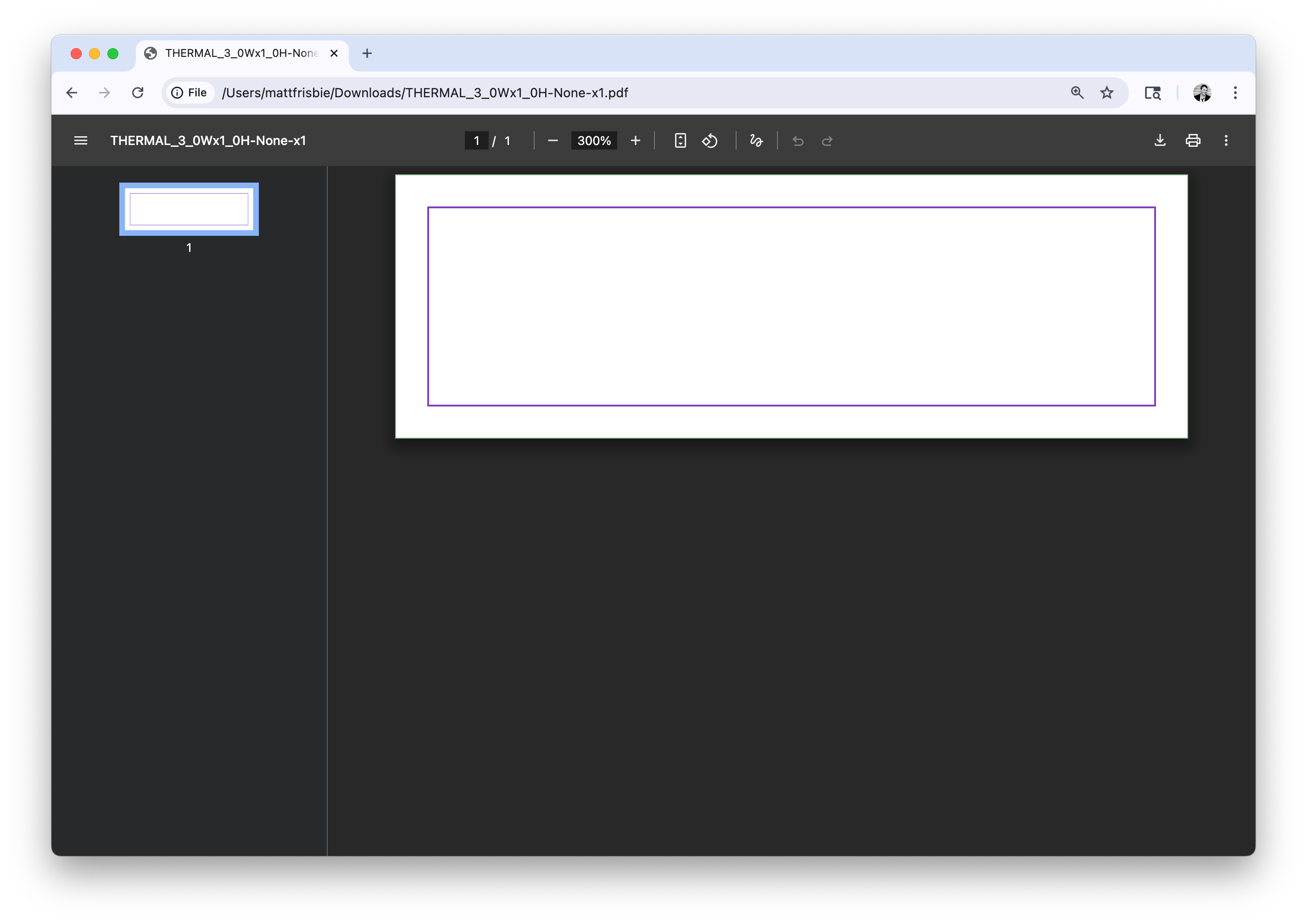
3x1 thermal label template
Here is an example template for an 8.5"x11" sheet of Avery 8160 labels (3 columns and 10 rows, 30 total), with 1/16" margins:
{
  "labelHeightIn": 1,
  "labelPaddingXIn": 0.0625,
  "labelPaddingYIn": 0.0625,
  "labelWidthIn": 2.625,
  "numColumns": 3,
  "numRows": 10,
  "pageMarginLeftIn": 0.1875,
  "pageMarginTopIn": 0.5,
  "pagesizeXIn": 8.5,
  "pagesizeYIn": 11,
  "xGapIn": 0.125,
  "yGapIn": 0
}
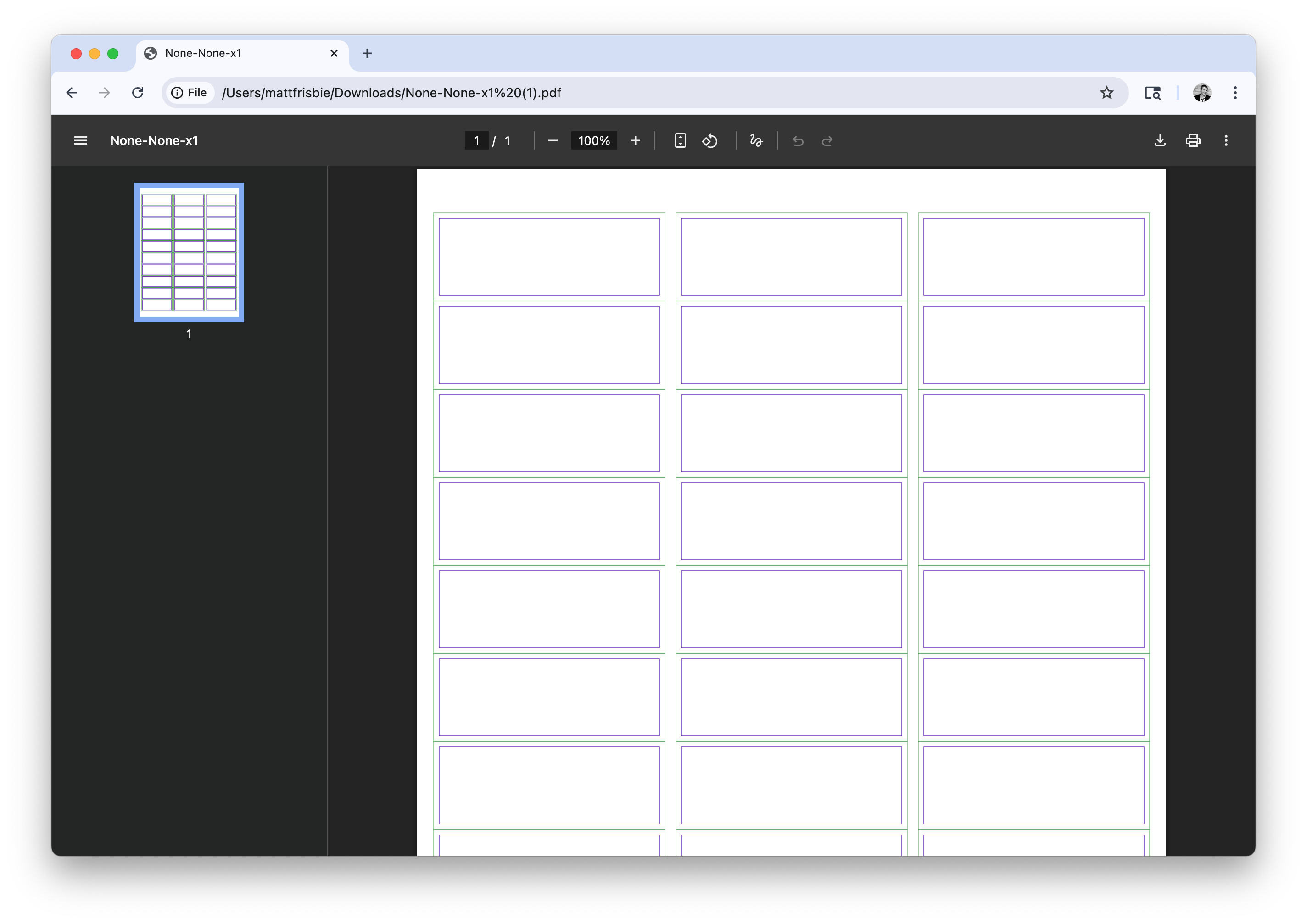
Avery 8160 label template
Next Steps
- Learn how to create label layouts
- See how templates and layouts come together in Generating Label PDFs
- Work through the Tutorial to wire this up end-to-end
- Configure your printer using Printing Label PDFs
- Start your free 30-day T3+ trial