T3+
Introduction
T3+ is the all-in-one paid subscription for the T3 platform.
A T3+ subscription includes:
- Full access to the Track & Trace Tools Chrome Extension
- Full access to the T3 API
- Full access to the OpenTag mobile app
Subscribing to T3+
T3+ offers a 30-day risk-free trial. You can cancel your subscription during the trial at any time with no penalty.
When subscribing to T3+, you'll select a tier.
Each plan includes a fixed number of seats. Your seats determine how many Metrc usernames you can register on the T3+ dashboard. Once a Metrc username is registered, that account will automatically be given access to T3+ across the platform.
T3+ Seats
Each T3+ seat corresponds to one Metrc username. T3+ does not restrict the number of licenses per username, and you can change usernames at any time.
Some examples of seat allocations:
- A business has one compliance person managing multiple licenses in one state. You would need one seat (T3+ Basic).
- A business has three compliance people managing multiple licenses in one state. You would need three seats (T3+ Team)
- A business has three compliance people managing licenses in two states. Since each state has its own login, each person has two usernames. You would need six total seats (T3+ Enterprise).
T3+ Tools and Features
Registering a Metrc Username in T3+
T3+ is enabled on a per-username basis. Your username is what you use to log into Metrc. Example:
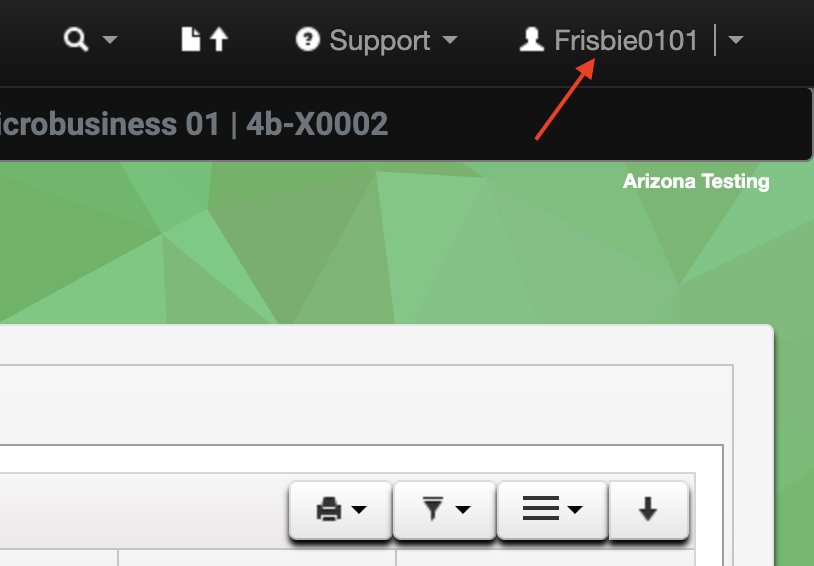
How to find your Metrc username
In this case, after registering the username Frisbie0101 in the T3+ dashboard, the premium T3+ features are enabled for that username across the T3 platform.
The T3 Chrome Extension includes a quick script to easily copy your Metrc username:
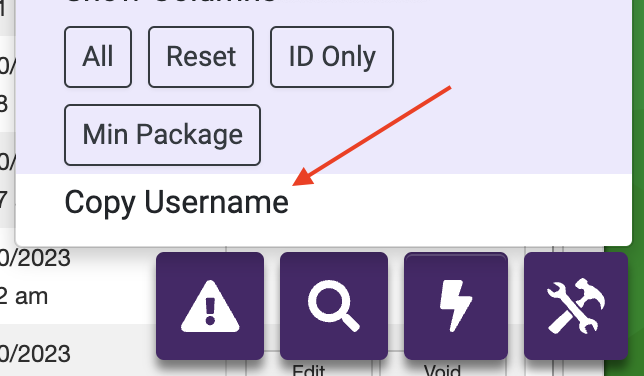
Copying your username with a T3 quick script
In the T3 dashboard, here is what you will see when your username is registered:
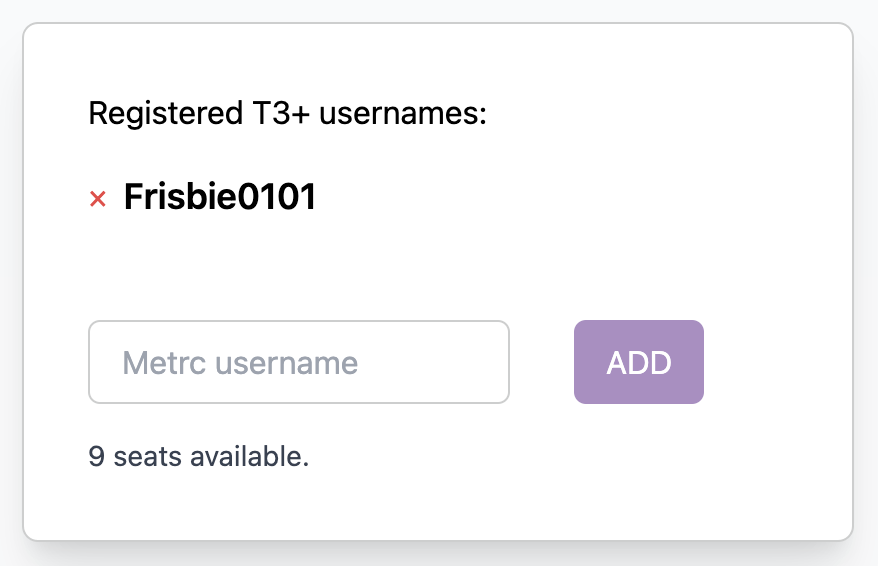
Registered Metrc username in T3+ dashboard
Once registered, you will automatically be granted access to T3+ features across the T3 platform.
NOTE: The T3 Chrome Extension will require a page refresh for T3+ features to be enabled.
Verifying Username Registration
In the T3 Chrome Extension, open the main toolbox interface and check the footer. "T3+" indicates successful registration.
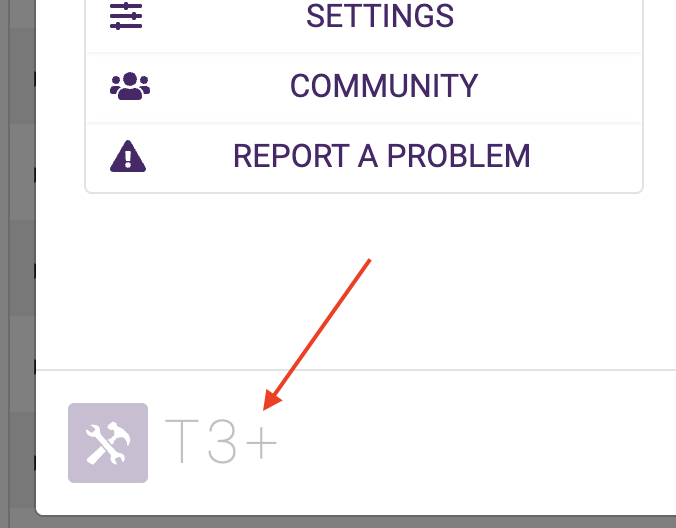
Indication of successful T3+ registration
Next Steps
- Get started with the T3 API and T3 Labels
- Set up OpenTag on your phone for RFID scanning
- Install the T3 Chrome Extension and review its T3+ features